Контроль качества компьютерных мышей выходит далеко за рамки беглых проверок. В этой статье мы рассмотрим 7 критических испытаний - от испытание на продолжительность жизни кнопки и колесики, удары при падении и сертификаты соответствия - что каждый Поставщик мыши OEM следует применять. Покупатели B2B и команды контроля качества оборудования узнают, что включает в себя каждый тест, как он проводится, какие стандарты применяются и как распознать неудачи. Используйте эту книгу как Протокол контроля качества контрольный список для обеспечения производитель мышей поставляет долговечные, высокопроизводительные изделия со всеми надлежащими знаками соответствия.
| Тест | Типичный контрольный показатель качества |
|---|---|
| Срок службы кнопок | ≥ 10 миллионов нажатий (основные кнопки) без сбоев |
| Долговечность колеса прокрутки | ≥ 200 000-300 000 циклов вращения без перерыва |
| Кабельный гиб и соединитель | ≥ 3 000 циклов изгиба под углом 90°; порт USB ≥ 1 500 вставок |
| Падение и удар | Свободное падение с высоты 1,0 м на 6 сторон, несколько падений (без повреждений) |
| Тепловой/влажностный стресс | 24-96 часов при температуре 60 °C и относительной влажности 90% (и холоде -10 °C) полностью работоспособны |
| Функциональные характеристики | Сенсор при заданных DPI и скорости (например, 450+ IPS) отслеживает точно; все кнопки регистрируются правильно |
| ЭМС и соответствие нормативным требованиям | Соответствует требованиям CE/FCC по электромагнитному излучению; устойчивость к электростатическому разряду 4 кВ/8 кВ; материалы соответствуют требованиям RoHS |
Введение
Поиск поставщиков из Поставщик мыши OEM Это значит, что продукт должен соответствовать строгим стандартам качества еще до того, как он попадет к конечным пользователям. Мыши выдерживают миллионы нажатий, бесчисленные прокрутки, случайные падения со стола и различные условия окружающей среды. Для Покупатели B2B и обеспечение качества (QA) Инженерам важно убедиться, что фабрика подвергает каждую новую модель мыши целой батарее тестов. Эти тесты проверяют долговечность (выдержат ли кнопки и колесико?), функциональность (надежно ли работает сенсор и каждая кнопка?) и соответствие (отвечает ли мышь стандартам безопасности и нормативным требованиям?). В этом руководстве мы подробно рассказываем о семи важнейших тестах качества мыши, которые должен пройти каждый уважающий себя завод. должен пройти перед отправкой груза. В каждом разделе объясняется, что представляет собой испытание, как оно проводится, какие стандарты или эталоны существуют и как выглядит неудача. Поняв их, вы сможете составить подробный контрольный список проверки качества и быть уверенным в качестве продукции вашего поставщика.
1. Тест продолжительности жизни щелчка переключателя
Одной из самых важных проверок на прочность является тестирование продолжительности жизни кнопки мыши. Этот тест гарантирует, что основные переключатели (левый/правый клик и часто боковые кнопки) могут выдержать миллионы печатных машин в течение всего срока службы мыши. На фабриках используются автоматизированные установки с механическими “пальцами” или исполнительными механизмами, которые многократно нажимают на кнопки мыши в заданном ритме - иногда несколько раз в секунду - в течение нескольких дней или недель подряд. Например, лабораторные машины Logitech нажимают кнопки 13 раз в секунду, 24 часа в сутки для имитации многолетней интенсивной эксплуатации. Цель - убедиться, что переключатели соответствуют или превышают номинальное количество нажатий (часто 5M, 10M или даже 50M+ кликов для игровых мышей).
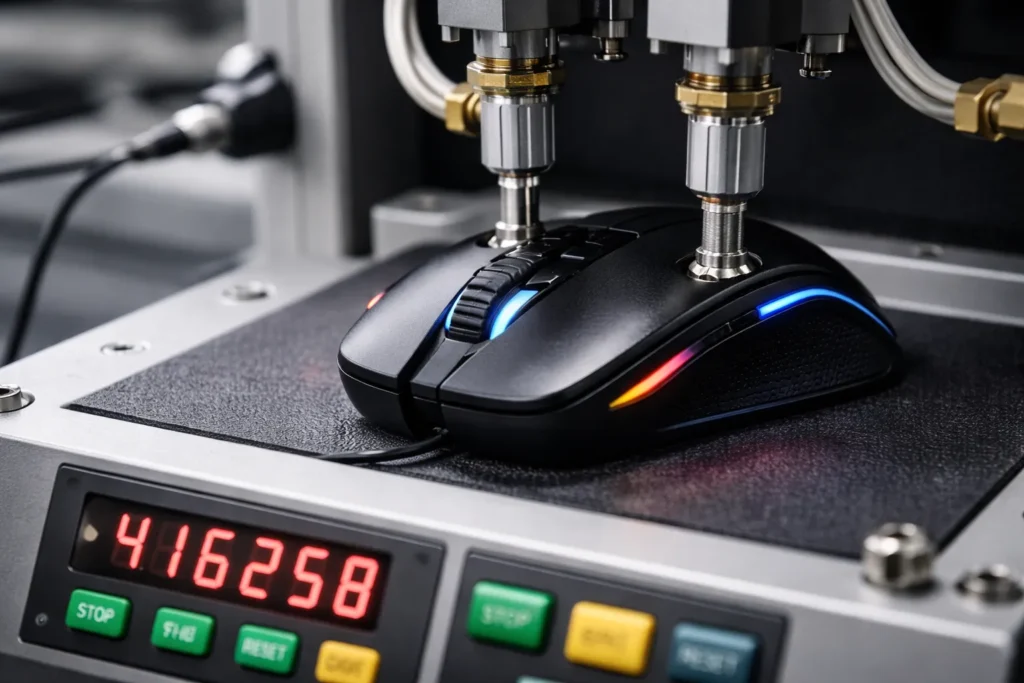
Стандарты и ориентиры: Универсального стандарта ISO для щелчков мыши не существует, но промышленная практика устанавливает высокие стандарты. Многие производители рекламируют ≥10 миллионов кликов for main buttons as a quality standard. High-end gaming mice use premium switches rated for 20–50 million clicks, and QA engineers will cycle-test buttons to validate those claims. In one published example, a specialized waterproof mouse was tested to 3,000,000 clicks on the left/right buttons (and 1,000,000 on others) without failure. What failure looks like: As switches approach end-of-life, they may start registering erratically – a common symptom is the dreaded double-click issue where a single press generates two clicks. This happens because the internal metal spring fatigues and “bounces,” tricking the circuitry into seeing multiple clicks. A button that fails the lifespan test might start to double-click on single presses or completely miss clicks, indicating the microswitch can no longer reliably maintain contact.
2. Scroll Wheel Endurance Test
Beyond the buttons, the scroll wheel mechanism also undergoes rigorous endurance testing. The wheel’s encoder and middle click button see heavy usage in daily operations (think of all the scrolling through documents or web pages). In the scroll wheel durability test, the mouse is secured on a fixture with its wheel interfacing a rotating actuator. This machine spins the wheel up and down continuously to simulate months or years of scrolling. It may also press the wheel to test the middle-click switch. The test counts rotation cycles until the wheel or encoder shows signs of wear.
Стандарты и ориентиры: Like button tests, wheel tests use internal benchmarks. A quality mouse should handle hundreds of thousands of scrolls without failing. For instance, one manufacturer specifies 300,000 scroll cycles as the target in their reliability testing. In practice, many OEMs test wheels at around 100k–300k rotations. The wheel should maintain its notch feedback and sensor accuracy throughout. Middle-click (wheel click) durability is usually on par with other buttons (often rated a few million presses). Relevant standards: While there’s no dedicated ISO just for scroll wheels, the DIN/ISO 9241 ergonomics standards emphasize consistent performance of input devices, implying the wheel shouldn’t degrade noticeably within its service life. Factories often rely on their Протокол контроля качества and supplier specs for encoders to set the cycle count.
How to Spot Failure: A wheel that fails the endurance test might start skipping steps or scrolling erratically – e.g. scrolling down might intermittently jump up, due to a worn or broken encoder. The tactile “click” of the wheel could also go smooth if the detent mechanism wears out (as one user described, “the bumps in the scroll went away… then I realized it’s broken”). In a worst case, the wheel or its axle could snap. By testing up to the target cycles, factories ensure that end users won’t experience a floppy or unreliable scroll wheel until well past the product’s intended lifespan.
3. Drop and Impact Test
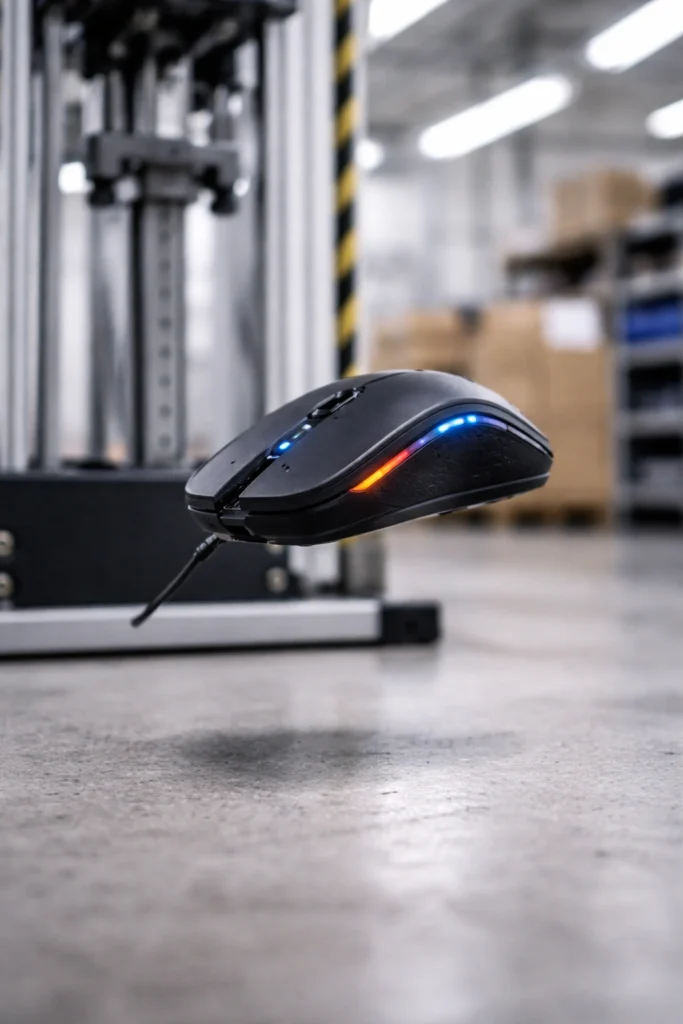
Accidental drops are a fact of life for electronics. A good mouse should survive falling off a desk or slipping from one’s hand without cracking or becoming dysfunctional. That’s why factories perform drop tests (also called impact or shock tests) on sample units. In a typical drop test, a mouse is dropped from a specified height (such as 1 meter) onto a hard surface like a steel plate or hardwood multiple times. The drops are done on various orientations – e.g. top, bottom, each side, front, and back – to ensure no weak point in the housing. Engineers then check the mouse for any physical damage (like cracked plastic or loose components) and verify it still works (buttons click, sensor tracks) after each drop.
Стандарты и ориентиры: Drop test methods often follow guidelines like IEC 60068-2-32, which is a standard for free-fall testing of electronic products. This standard typically uses around 50 cm or 1 m drop heights depending on device weight, and a set number of drops (often 5–6 drops on each face). Many mouse OEMs use 1.0 meter (about 3.3 feet) as a benchmark drop height – roughly desk height – to simulate a fall from a table. For example, one medical-grade mouse was tested by dropping it six times from 70 cm onto a hard tile floor (once on each side), aligning with common practice. Gaming and military-grade mice may even be tested from higher or onto tougher surfaces if ruggedness is a selling point. After each drop, the unit is inspected; to pass, it should have no structural cracks, and should power on and function normally.
Failure Modes: A mouse fails the drop test if it suffers material breakage (e.g., a button snaps or shell cracks open) или internal damage that affects operation. Even if the exterior looks fine, a hard impact can dislodge internal soldered components or loosen the sensor module. Signs of failure include rattling noises inside (a broken piece), non-responsive buttons or sensor, or a USB connector that got jarred loose. By conducting controlled drop tests, factories ensure the mouse can withstand minor shocks during shipping or everyday use without falling apart.
4. Cable Flex and Connector Stress Test
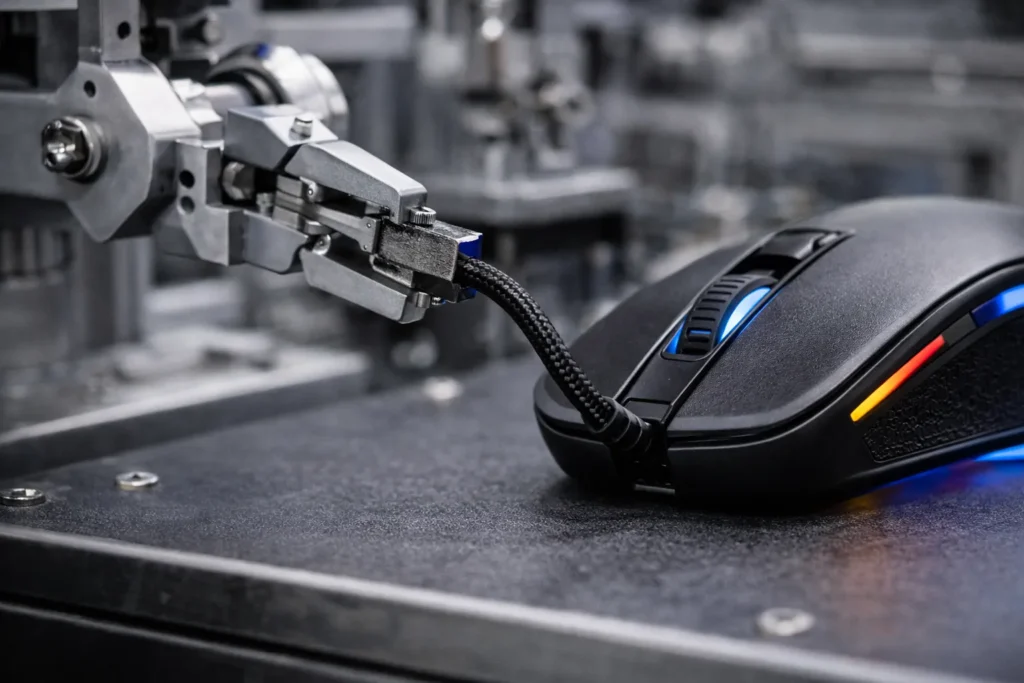
For wired mice, the cable and connector are literal lifelines of the device – and a common failure point if not reinforced. Factories therefore perform cable flexing and pull tests to ensure durability of the mouse’s cord and USB plug. In a cable flex test, the mouse’s cable is clamped and bent repeatedly at the strain relief (where the cable meets the mouse and near the USB end) through a fixed angle (often 60–90°) back and forth thousands of times. This simulates the constant bending a cable sees as the mouse moves. The test apparatus counts how many bend cycles the cable survives before electrical continuity breaks or the jacket frays. Additionally, a tensile pull test may be done: a weight or force (for example, a 10N pull) is applied to the cord and connector to verify that the strain relief prevents it from yanking out or internal wires from tearing.
Стандарты и ориентиры: There are industry guidelines for cable robustness, though not always consumer-facing. Many manufacturers set an internal spec like “cable must endure 3,000+ bends at 90°” or similar. For instance, premium gaming mice often advertise braided cables that have been tested to withstand extensive flex cycles. Another aspect is the USB connector’s insertion/removal life: standard USB connectors (Type-A, etc.) are rated for at least 1,500 mating cycles by design, with newer USB-C connectors rated 10,000+ cycles. In QA, a sample mouse might be plugged and unplugged repeatedly or put in a vibration rig to ensure the connector doesn’t loosen internally. What “pass” looks like: After thousands of bends, the cable’s insulation should show no cracking at the flex point, and the mouse should continue to function (no intermittent disconnects when wiggling the cord). Similarly, the USB plug should not wobble excessively and must maintain a solid connection after many insertions.
Failure Modes: A failing cable may develop internal wire breakage – often first noticed when the mouse cuts out unless the cable is held just so. Externally, the braid or rubber jacket might fray or split near the mouse or USB end if the strain relief is inadequate. The connector could also become loose or bent, leading to an unreliable connection. By stress-testing cables, factories can catch issues like insufficient strain relief design or subpar wire quality. This test is critical for wired models, as a mouse is only as good as its attached cord’s integrity.
5. Environmental Stress (Heat and Humidity) Test
Environmental stress testing verifies that a mouse will perform reliably under extreme conditions it might encounter during usage or shipping. Electronics can be sensitive to temperature and moisture, so factories conduct thermal and humidity tests on mice. In a typical scenario, sample mice are placed in a temperature/humidity chamber and exposed to high heat (e.g. 55–60 °C / 131–140 °F) at high relative humidity (e.g. 85–95% RH) for a prolonged period (24 to 96 hours is common). They may also undergo cold tests at sub-freezing temperatures (e.g. -10 to -20 °C) for a day or two. Another variant is a thermal shock or cycle test: the devices are cycled between hot and cold extremes rapidly (for example, -15 °C to 60 °C back and forth for several cycles) to see if expansion/contraction causes failures. After each exposure, the mice are returned to normal conditions and inspected for issues.
Стандарты и ориентиры: Environmental testing often references standards like IEC 60068-2-2 (dry heat), 60068-2-78 (damp heat steady state), and 60068-2-14 (temperature cycling). A typical benchmark for consumer electronics is: operate at 0 °C to 40 °C, and survive storage from around -20 °C up to 60 °C. For instance, the waterproof mouse spec we saw required operation from 0 to +45 °C and storage from -10 to +60 °C. In testing, it endured 96 hours at 60 ±2 °C and 50% RH, и 5 cycles of -15 °C to +60 °C thermal shock without damage. Pass criteria: After the test, the mouse should still function (buttons, scroll, sensor all responsive) and show no physical deformation. Any batteries (for wireless mice) must not leak or swell. Plastic materials shouldn’t warp or crack, and lubricants inside (for scroll mechanisms or buttons) should still work.
What failure looks like: Extreme heat can cause plastics to deform or coatings to bubble. In humidity, condensation might form inside, potentially causing short circuits or fog on sensor lenses (though conformal coatings and sealed optics aim to prevent this). If a mouse fails, you might find it won’t power on after a heat soak, or perhaps the sensor becomes erratic due to moisture. Metal parts could show corrosion if not properly rust-proofed. Factories include this test to catch such vulnerabilities. For example, high humidity exposure helps ensure that static doesn’t build up internally and that corrosion doesn’t occur on PCB contacts – factors that could cause failures down the line. By passing environmental stress tests, the mouse is proven to handle real-world extremes (like being left in a hot car or shipped through cold warehouses) without compromising performance.
6. Functional Performance Test (Sensor & Buttons)
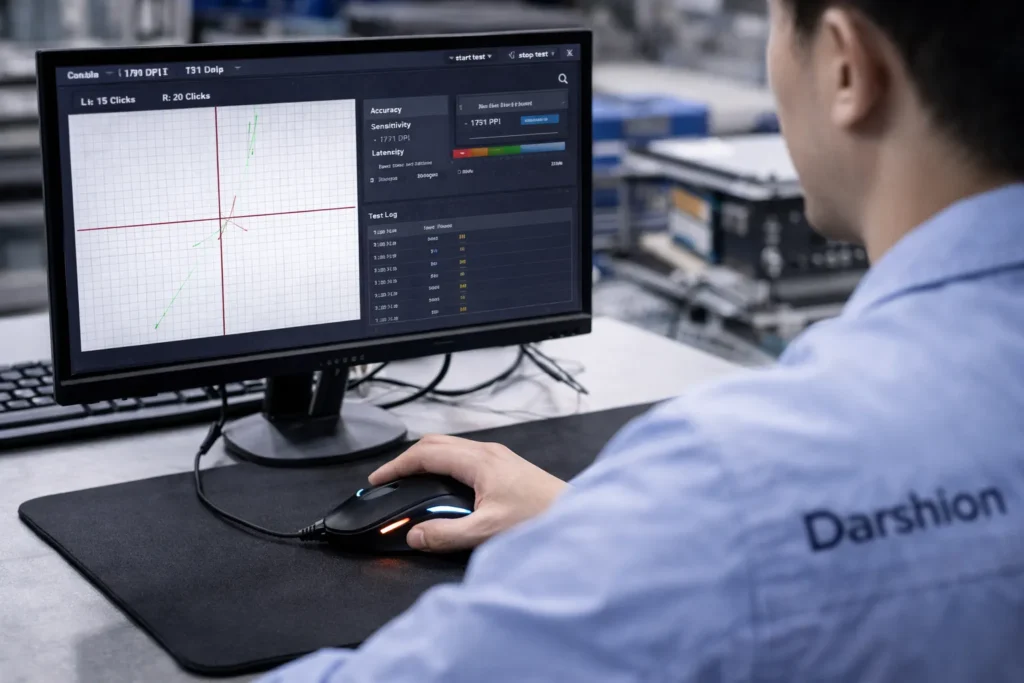
Even after all the specialized durability tests, every mouse must clear a functional test to confirm it performs its intended tasks correctly. In factory QA, this often means a comprehensive functionality check on each unit or on sample batches. Key aspects include the sensor’s tracking accuracy, button output, scroll wheel signals, and any extra features (DPI switches, LEDs, wireless connectivity). What the test involves: Technicians (or automated test jigs) will plug the mouse into a computer or test station. They verify that every button actuates and sends the correct signal (left-click registers a left-click event, etc.), often by clicking each one and watching for the response on a software tool. The optical or laser sensor is tested by moving the mouse over a standardized surface or grid pattern to ensure it tracks movement properly. High-end QA might measure if the DPI (sensitivity) is within spec – e.g., if set to 800 DPI, moving one inch yields ~800 pixels of cursor movement on screen, within a tolerance. For gaming mice, the polling rate (reporting frequency) could be checked with a USB analyzer to ensure it’s e.g. 1000 Hz as advertised.
Performance benchmarks: A critical part of this test is verifying the sensor’s capability. Modern gaming mice, for instance, are expected to track at very high speeds (hundreds of inches per second) without skipping. Logitech famously built a spring-loaded rig to fling a mouse at over 450 inches per second to verify their sensor wouldn’t lose tracking at those speeds. While not every factory will fling mice across the room, they do ensure the sensor doesn’t malfunction at fast swipe speeds or during rapid direction changes. Another performance aspect is lift-off distance (LOD) – QA might check that the sensor stops tracking when the mouse is lifted beyond a few millimeters (important for gamers). For wireless models, this functional test would include checking wireless range and signal stability, often in an RF isolation chamber to measure that the receiver works across the advertised distance.
Standards: There aren’t specific international standards for mouse performance beyond ergonomic guidelines (ISO 9241-9 outlines how to evaluate pointing device accuracy in user tests, for example). But internally, manufacturers set criteria: e.g., cursor must not jitter more than a certain pixel count at rest, or must maintain tracking up to a certain acceleration (measured in G’s). Pass/Fail indicators: A mouse fails the functional test if any feature is not working as intended. Examples include: a dead sensor (no cursor movement), non-clicking button (perhaps a switch wasn’t soldered correctly, so it doesn’t register), a scroll wheel that doesn’t scroll through values properly, or on a macro-enabled mouse, perhaps memory or LED not functioning. By performing this exhaustive check – essentially a final Протокол контроля качества validation – factories catch assembly defects or calibration issues. Only mice that pass all functional criteria (sensor accuracy, button inputs, wheel and connectivity) move on to packaging.
7. EMC and Regulatory Compliance Tests (CE/FCC, ESD, RoHS)
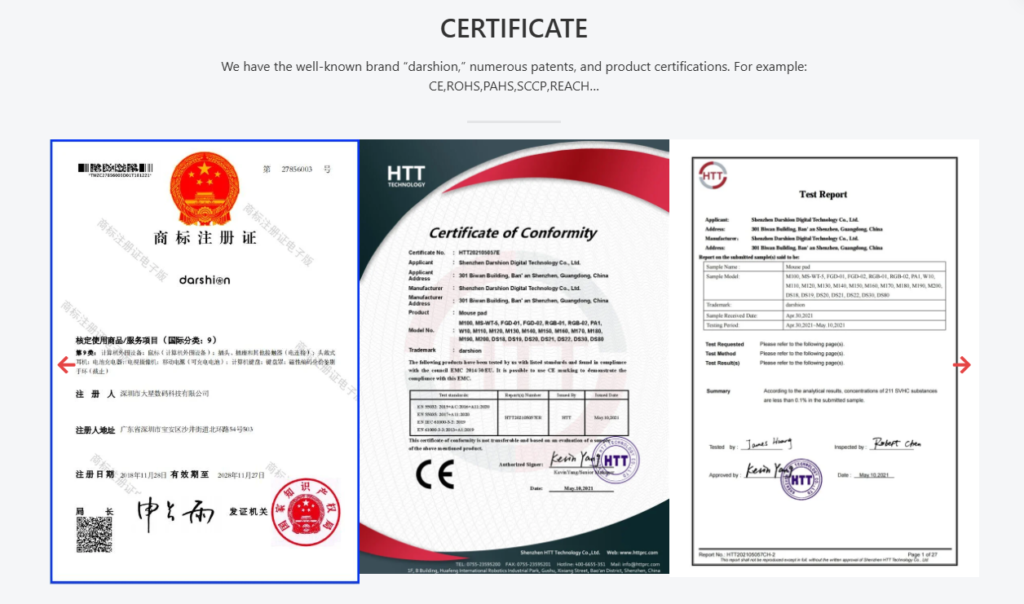
No quality evaluation is complete without ensuring the product meets all regulatory compliance requirements. For mice, the critical areas are electromagnetic compatibility (EMC), safety, and restricted substances. Factories must verify that the mouse can be legally sold in target markets (e.g. meeting CE marking in Europe, FCC in the USA, etc.), which involves a suite of lab tests often done during product development and again in final QA audits.
EMI Emissions: Mice are electronic devices that emit some electromagnetic noise. They must comply with limits (such as FCC Part 15 Class B for consumer devices) so they don’t interfere with other electronics. In practice, this means sending the mouse to an anechoic chamber or EMC lab where its RF emissions are measured with antennas. Even wired mice have oscillators and USB data lines, so they undergo radiated and conducted emission tests. A compliant mouse will show emission levels below the threshold curves defined in standards like EN 55032 (the EU standard for multimedia device emissions). This is a pass/fail based on dBµV of noise – if the device emits too much at any frequency, it fails and the design needs shielding or filtering improvements.
ESD Immunity: Users might zap their mouse with static electricity (especially in dry environments). Thus, compliance testing per IEC 61000-4-2 is performed to ensure the mouse survives electrostatic discharges. In an immunity test, a technician uses an ESD simulator “gun” to zap the mouse at various points (buttons, sides, USB port) with high-voltage static bursts. Common test levels are ±4 kV contact discharge and ±8 kV air discharge for consumer electronics. To pass, the mouse should continue working after each zap (no permanent malfunction, perhaps it’s allowed to reset but not to break). Factories incorporate ESD protective measures (like grounding, TVS diodes) and verify in testing that a static shock won’t kill the mouse’s electronics. Safety and Others: If the mouse has any rechargeable battery, there are safety tests for the battery and charging circuit (overcharge protection, etc.). Additionally, certifications like UL или IEC 62368-1 (safety standard for IT equipment) might be pursued; these ensure things like the plastic is fire-retardant and the device doesn’t pose an electric shock or fire hazard under fault conditions. Mice are low-voltage, so safety concerns are minimal but still checked (e.g., no sharp edges or toxic materials).
Hazardous Substance Compliance: Buyers often require evidence of RoHS compliance (Restriction of Hazardous Substances) and possibly REACH compliance. Factories will have materials tested in labs to ensure no lead, mercury, or other banned substances above threshold in any components. They might hold certifications or lab reports for each batch of sensors, PCBs, cables, etc., verifying the product is Соответствие RoHS. This isn’t a “test” done on each mouse but is a critical part of quality control – using only vetted, certified materials.
When all these compliance tests are passed, the factory can mark the mouse with logos like CE, FCC, UKCA, or others as required. For example, a tested mouse might carry FCC ID and CE mark documentation showing it meets EMC standards, and a certificate that it meets Class B emissions and immunity standards. Failure in compliance: If a mouse fails EMI tests (emitting too much interference), it could cause Wi-Fi or Bluetooth disruption and cannot be sold until fixed. Failing ESD means the mouse could be permanently damaged by a simple static shock – unacceptable for consumer use. And failing RoHS or similar means legal prohibition in many markets. Reputable OEMs will test and iterate early to avoid any compliance issues.
Заключение
In the highly competitive peripherals market, a factory’s reputation hinges on its QA rigor. These seven critical tests – from the micro-level of switch clicks to the macro-level of drop survival and EMC compliance – form a comprehensive quality gauntlet that every mouse design must survive. As a hardware product lead or sourcing agent, insist on seeing evidence of each test: ask about the испытание на продолжительность жизни results for buttons and wheels, request drop test reports and environmental chamber logs, and verify all relevant certifications (CE/FCC reports, RoHS declarations). A factory that transparently adheres to this QA battery is far more likely to deliver a reliable product. On the flip side, skipping any of these tests can spell trouble: a mouse might feel great out of the box but fail prematurely or cause certification headaches later.
Ultimately, understanding these QA protocols empowers you to select partners who take quality seriously. Incorporate these tests into your own QA checklist when evaluating an Поставщик мыши OEM. Not only will you reduce the risk of field failures and returns, but you’ll also ensure end-users get a device that performs flawlessly – click after click, scroll after scroll – while meeting all safety and regulatory requirements. In summary, quality is not an accident; it’s engineered and verified through disciplined testing. And with mice being the primary interface for so many users, passing these seven tests is what separates a dependable device from a disposable one. By demanding rigorous QA, you’re investing in a mouse that will keep users satisfied and your brand reputation intact.